CarSpend icon

TRACK EVERY
MILE. EVERY COST.

The private way to track fuel, charging, mileage and everything your vehicle costs — car, motorcycle, van or camper.

ON ANDROID NOW · iOS SOON · ALSO IN YOUR BROWSER · NO ADS · NO ACCOUNT · ON-DEVICE
GET IT ONGoogle Play
DOWNLOAD ON THEApp Store
Soon

Prefer a big screen? Open the web app →

A guided tour

Every screen, explained.

Shown on Android, where CarSpend ships today; the iOS build follows the same design. Tap the dots under each phone to see more of each screen.

01 · Garage

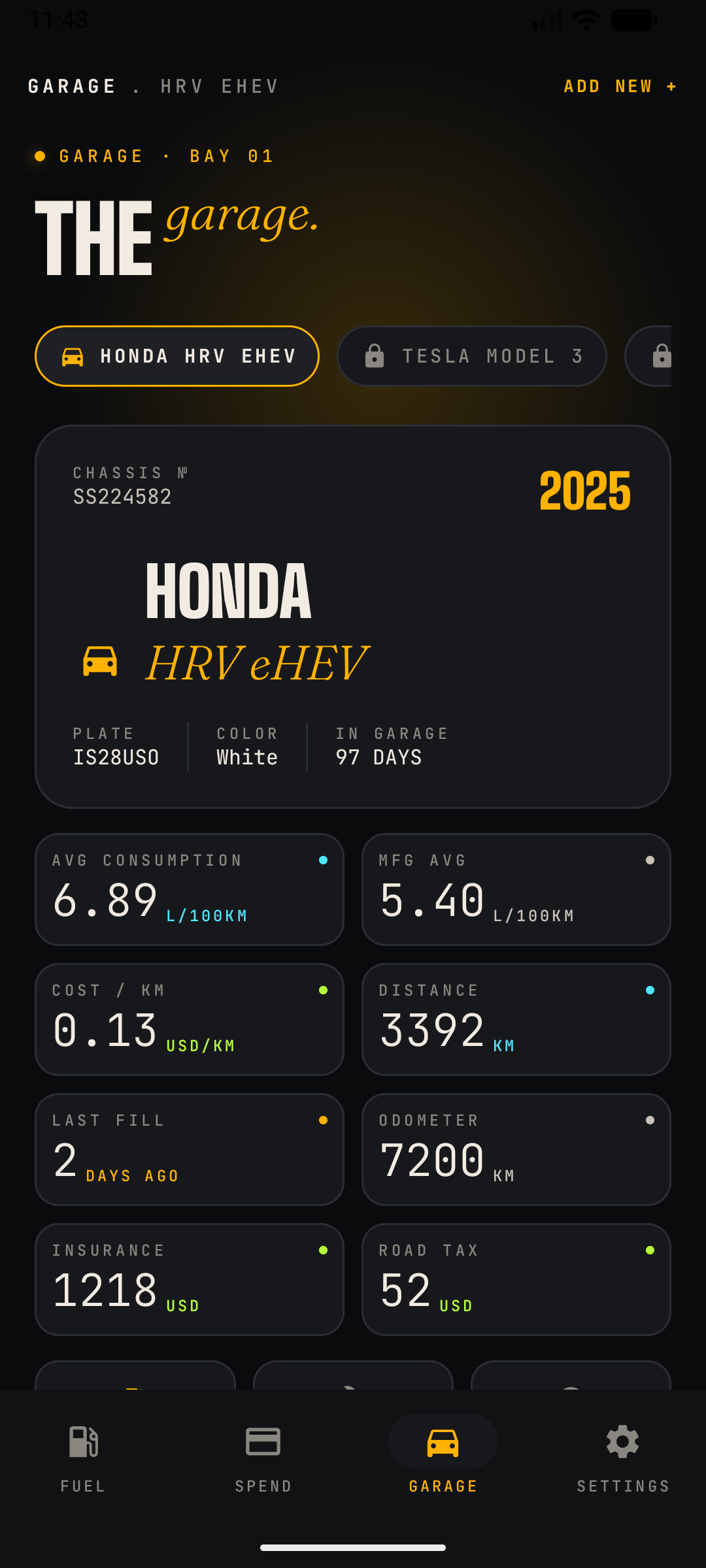
Your whole garage at a glance

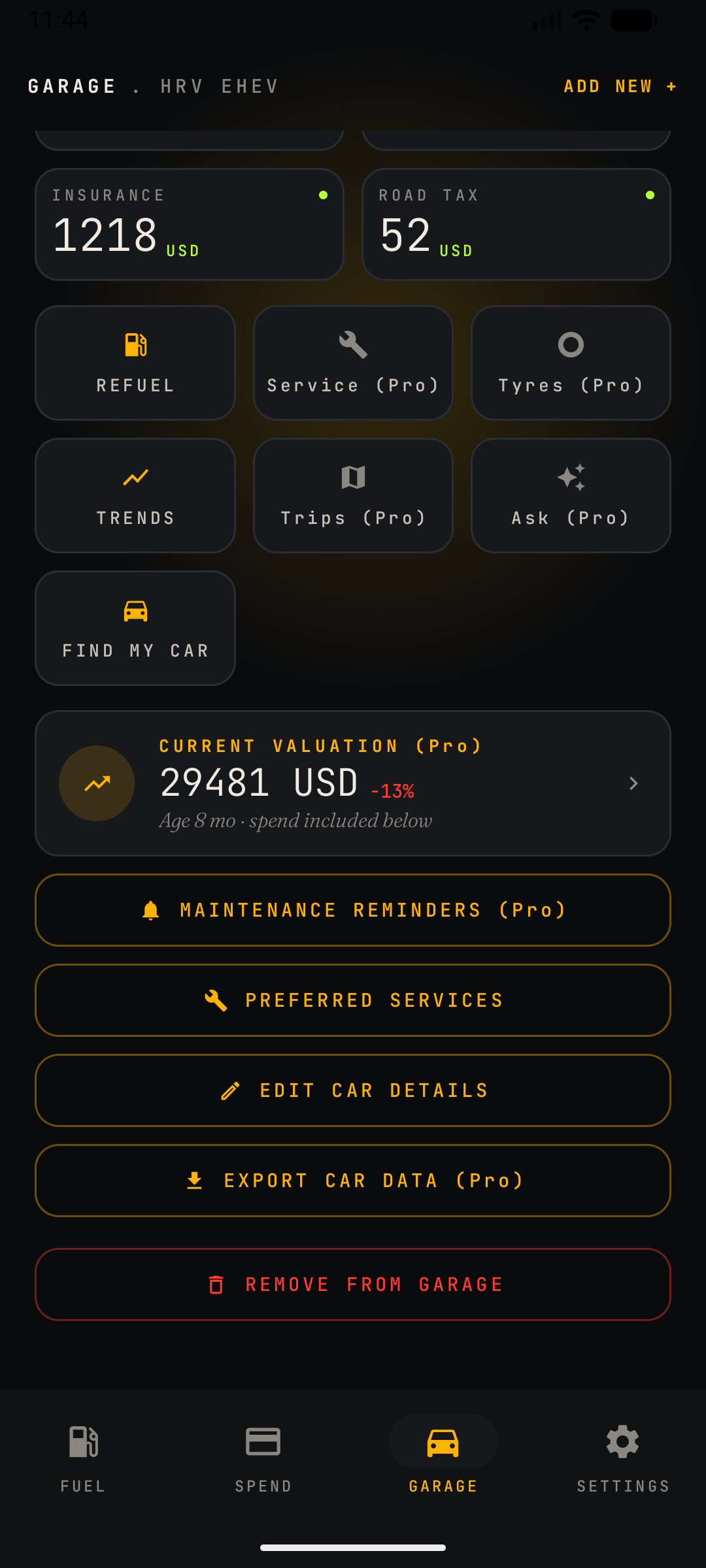
Every vehicle you own, with the numbers that matter on top: average consumption, cost per kilometre, distance, odometer, last fill-up, insurance and road tax. Switch between vehicles with a tap on the car carousel — the whole app follows, from stats to the fuel log. Your real average consumption sits right next to the manufacturer's claimed figure, so you can see exactly how your driving compares. Insurance and road tax you enter here flow straight into your Spend ledger, no double entry needed. Quick actions take you straight to a new fill-up, a service log, your tyres, trips and trends — and a live valuation card estimates what your car is worth today.

  • MULTI-CAR
  • LIVE STATS
  • QUICK ACTIONS
Read the full guide →
02 · Fuel

Every fill-up and charge

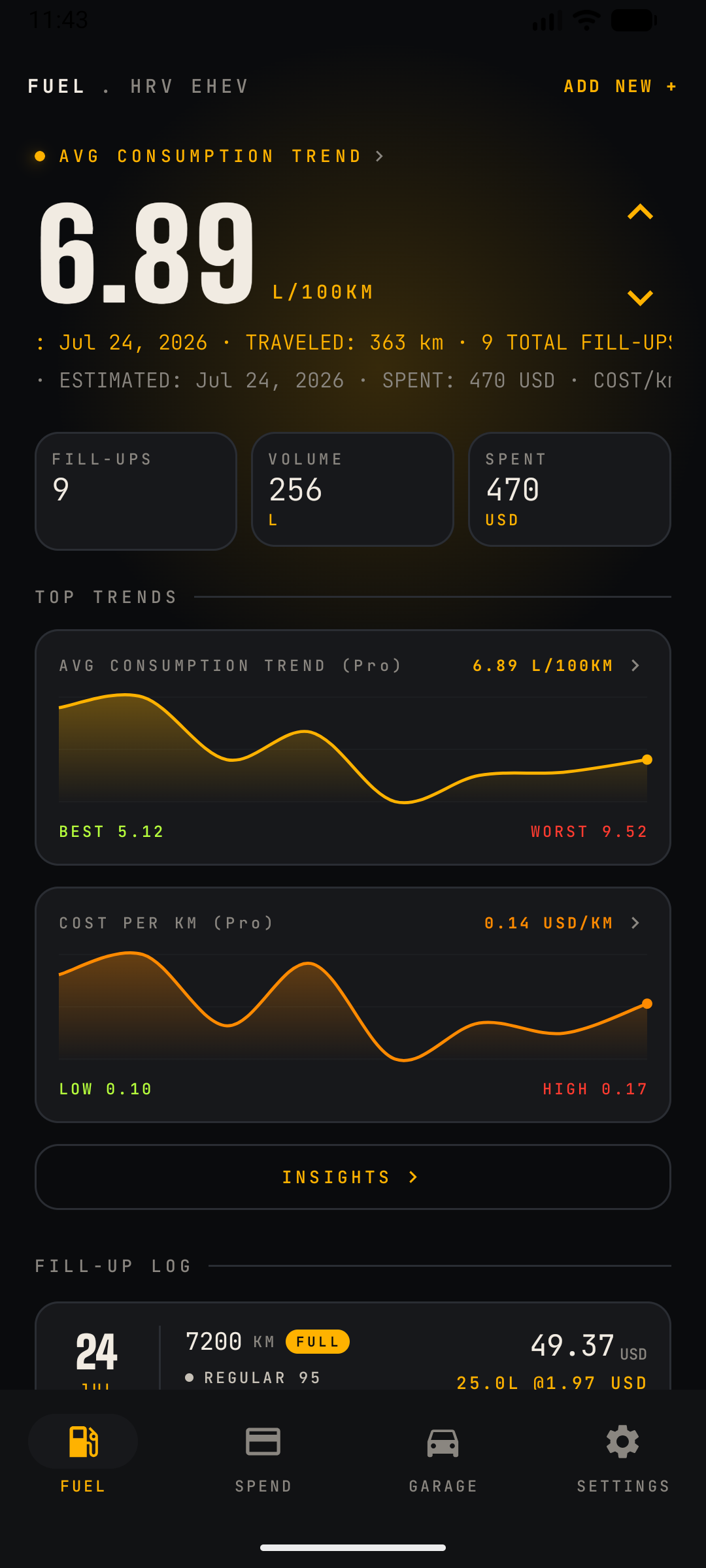
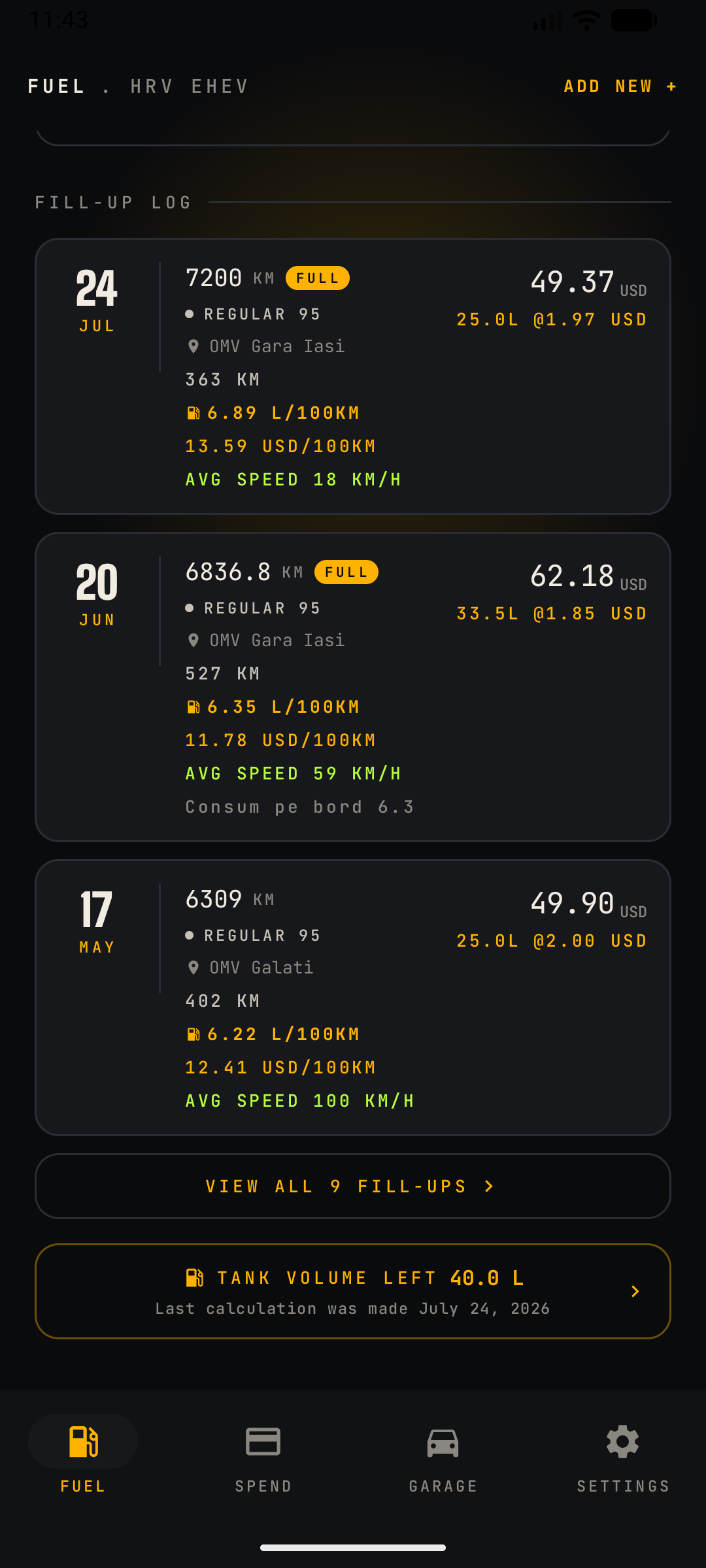
Log litres or gallons, kWh, price, station and odometer — economy is worked out automatically (L/100km, MPG, kWh/100km). One clear headline number sits up top; tap the up/down arrows beside it to flip through your economy, price and cost metrics. Mark a fill-up as FULL and it counts toward your consumption average, so partial top-ups never skew the numbers. Every entry rolls up into breakdowns by station and by fuel grade, making it easy to spot which pump or grade actually treats your car best. Driving a plug-in hybrid? Log fuel and a charge in the same stop, each with its own price and total, and CarSpend tracks both sides of the engine separately.

  • FUEL + EV
  • AUTO ECONOMY
  • PHEV COMBINED
Read the full guide →
03 · Insights

See where the money goes

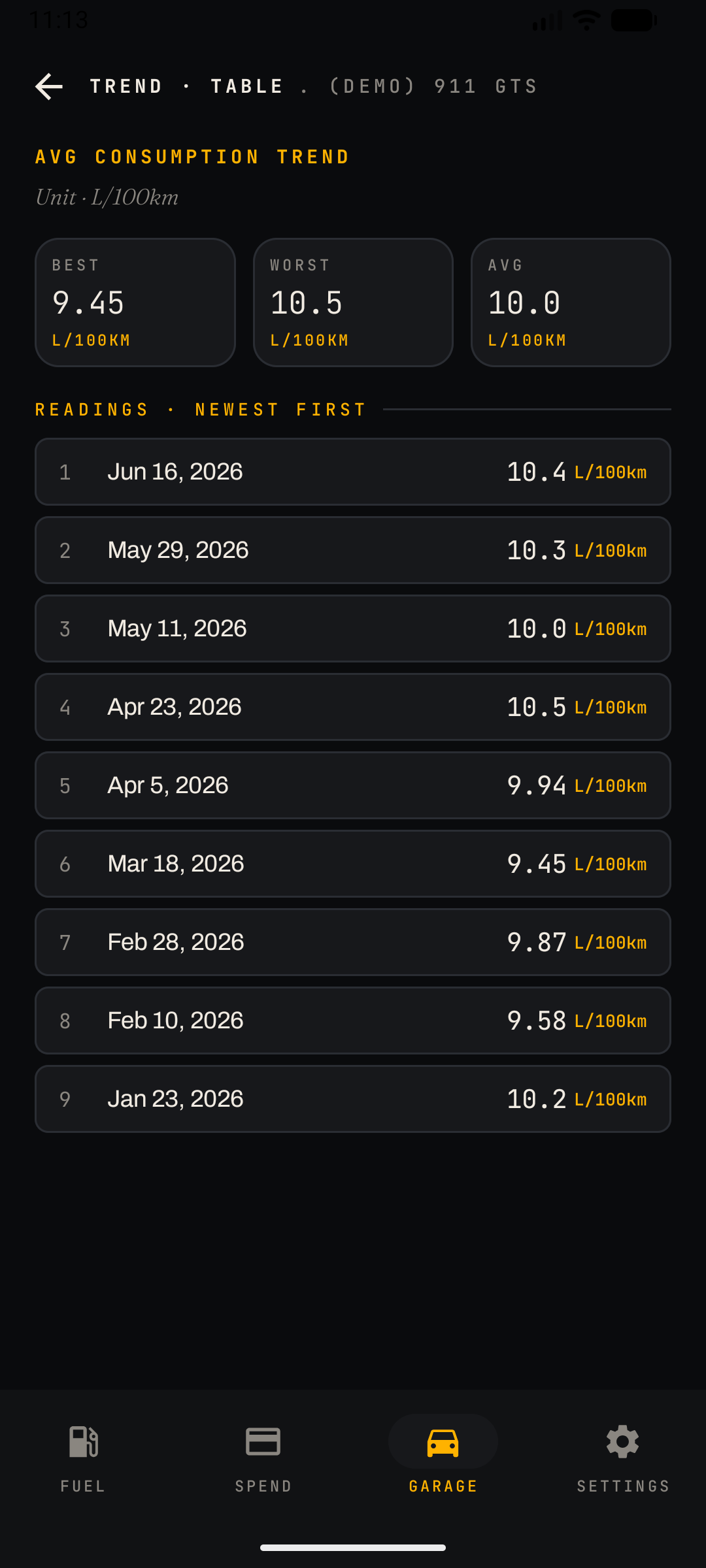
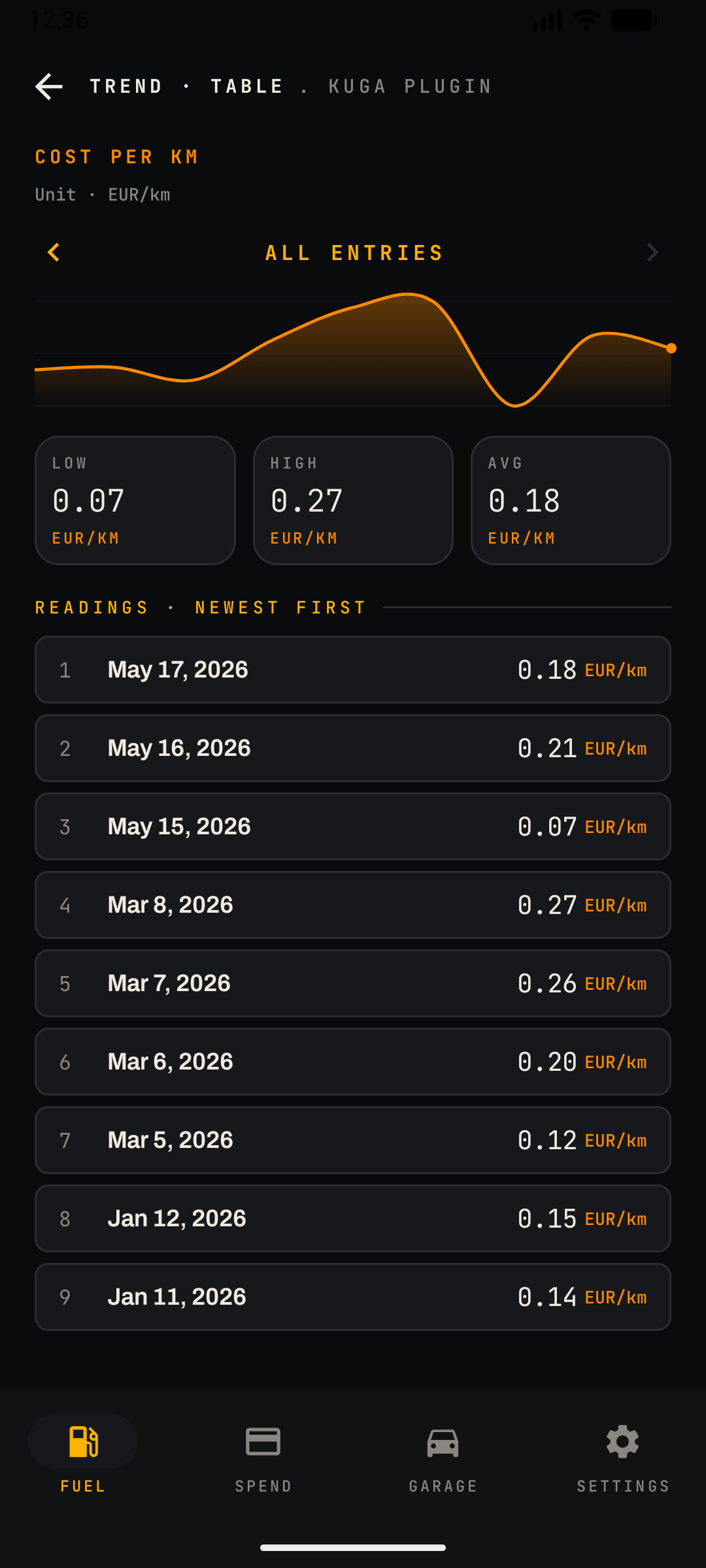
The Fuel screen keeps one top trend in view and tucks the rest one tap away under Insights. Consumption, price per litre or kWh, cost per fill-up, cost per kilometre, by fuel grade, by station and average speed — all charted over time so you can spot what's getting cheaper, and what isn't. Every chart marks its best and worst readings, so outliers jump out without you scanning a spreadsheet. Want the exact numbers behind the curve? Drill into any chart for a dated table of every reading, newest first. Plug-in hybrids and EVs get the same treatment on the charging side, with dedicated trends for electric economy and energy price per kWh.

  • COST / KM
  • BY GRADE
  • BY STATION
Read the full guide →
04 · Spend

Expenses, by category

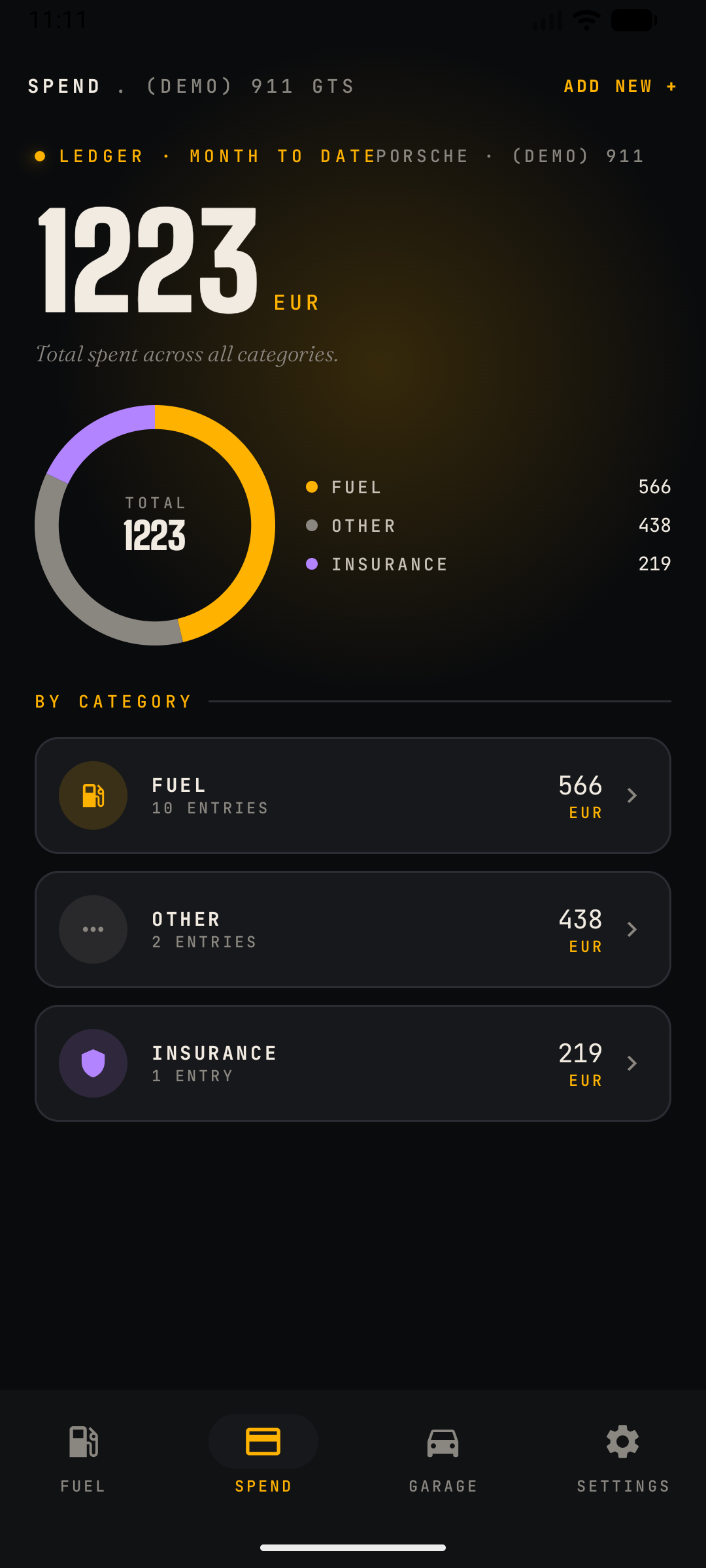
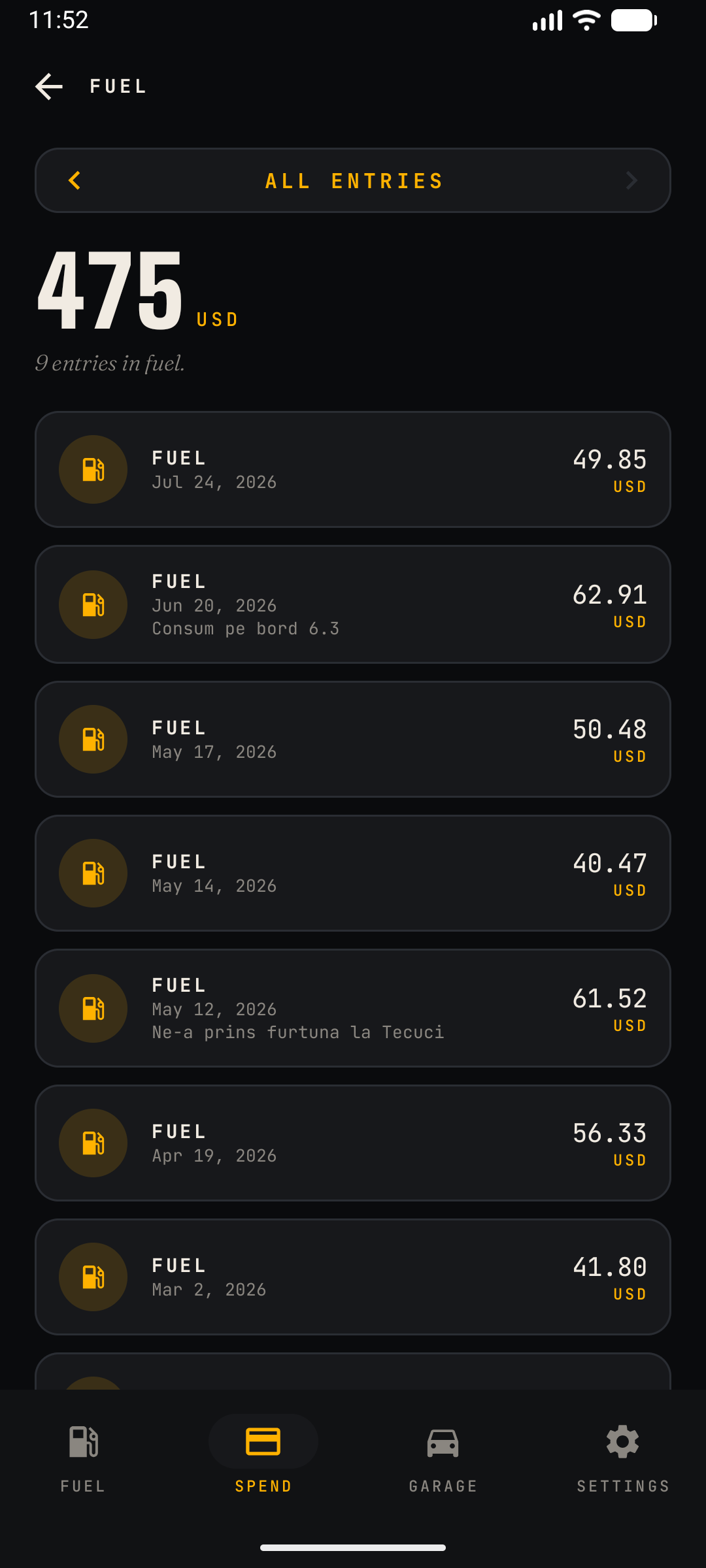
The full ledger, grouped into clean categories — fuel, charging, tyres, repair, insurance, tax, parking and more. A donut chart shows your split at a glance — all time, or filtered to any month or year — so you know where the money is actually going. Fuel entries are mirrored in automatically from your fill-up log, and insurance and road tax sync in from the Garage — no manual re-entry required. Tap a category to drill into every entry, itself filterable by month or year, with a running total per car.

  • CATEGORIES
  • MONTH / YEAR FILTER
  • DRILL-DOWN
Read the full guide →
05 · Tyres & Service

Rubber and reminders

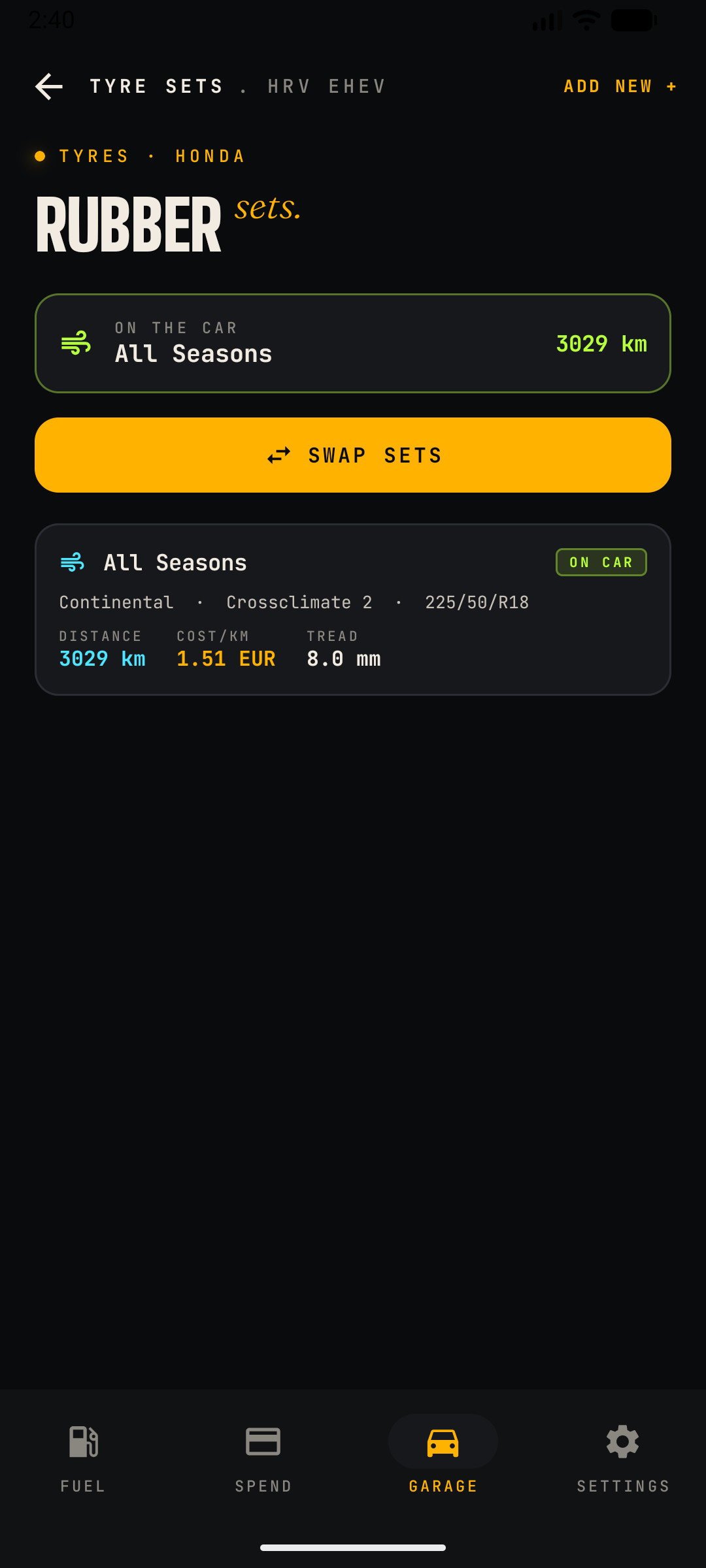
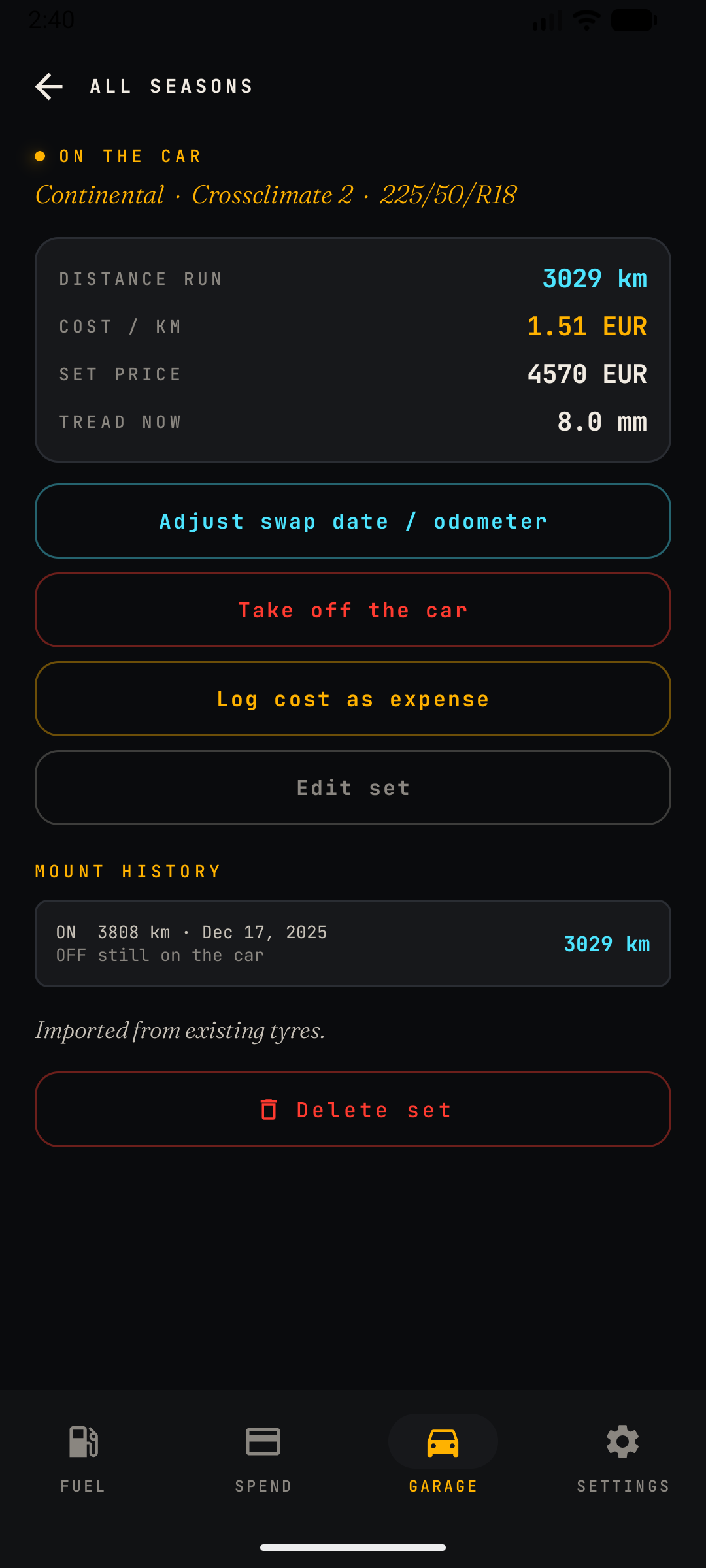
Track each tyre — brand, size, season, position, tread depth — and the distance covered per set and per season. CarSpend logs the odometer every time you swap a set on or off the car, so the mileage on each tyre is measured, not guessed, and switching between your summer and winter sets is a single tap. Maintenance reminders work the same way: set them by date, by odometer, or both — whichever threshold hits first — and a status badge shows whether you're on track or overdue. Nothing sneaks up on you, and the history is there whenever you need it.

  • SEASON SETS
  • DISTANCE
  • REMINDERS
Read the full guide →
06 · Tank / Battery

How much is left?

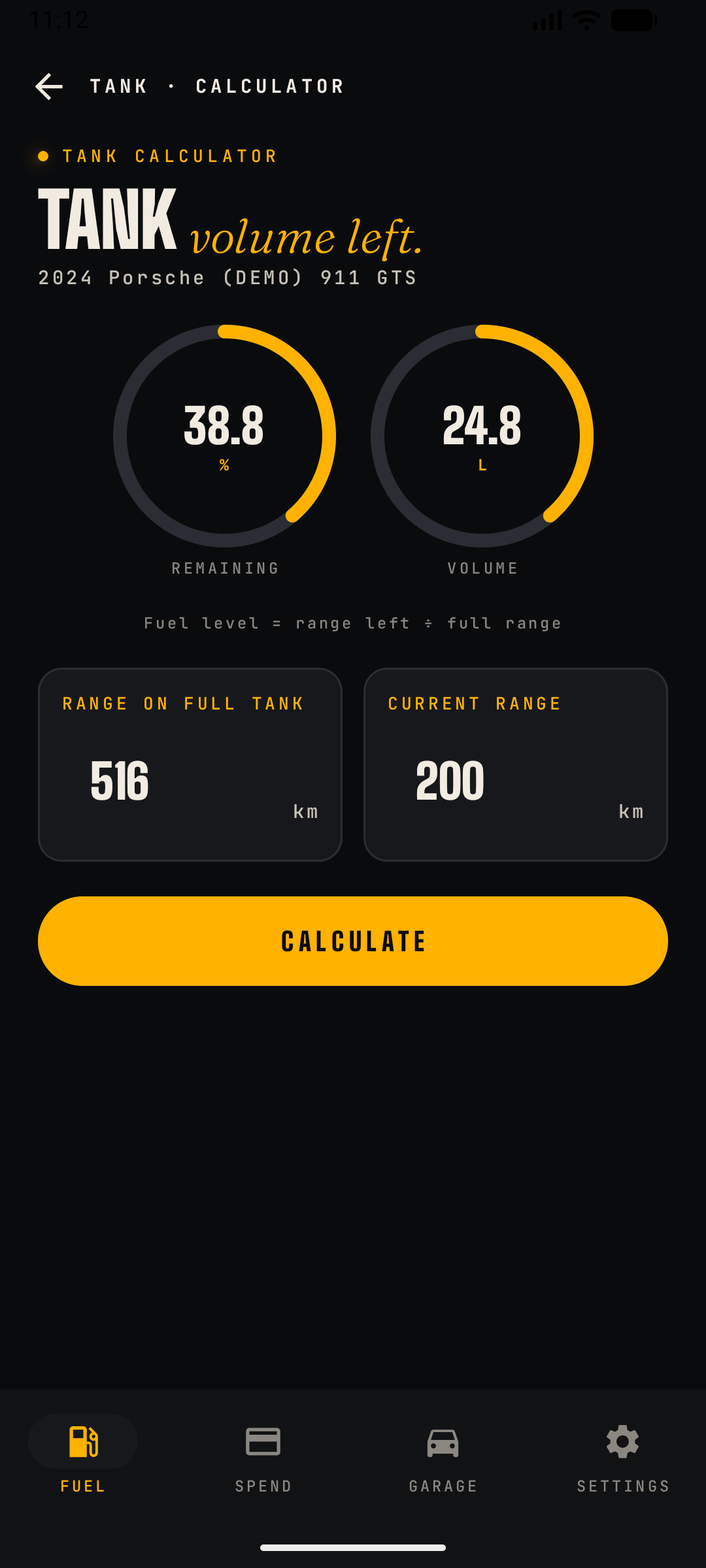
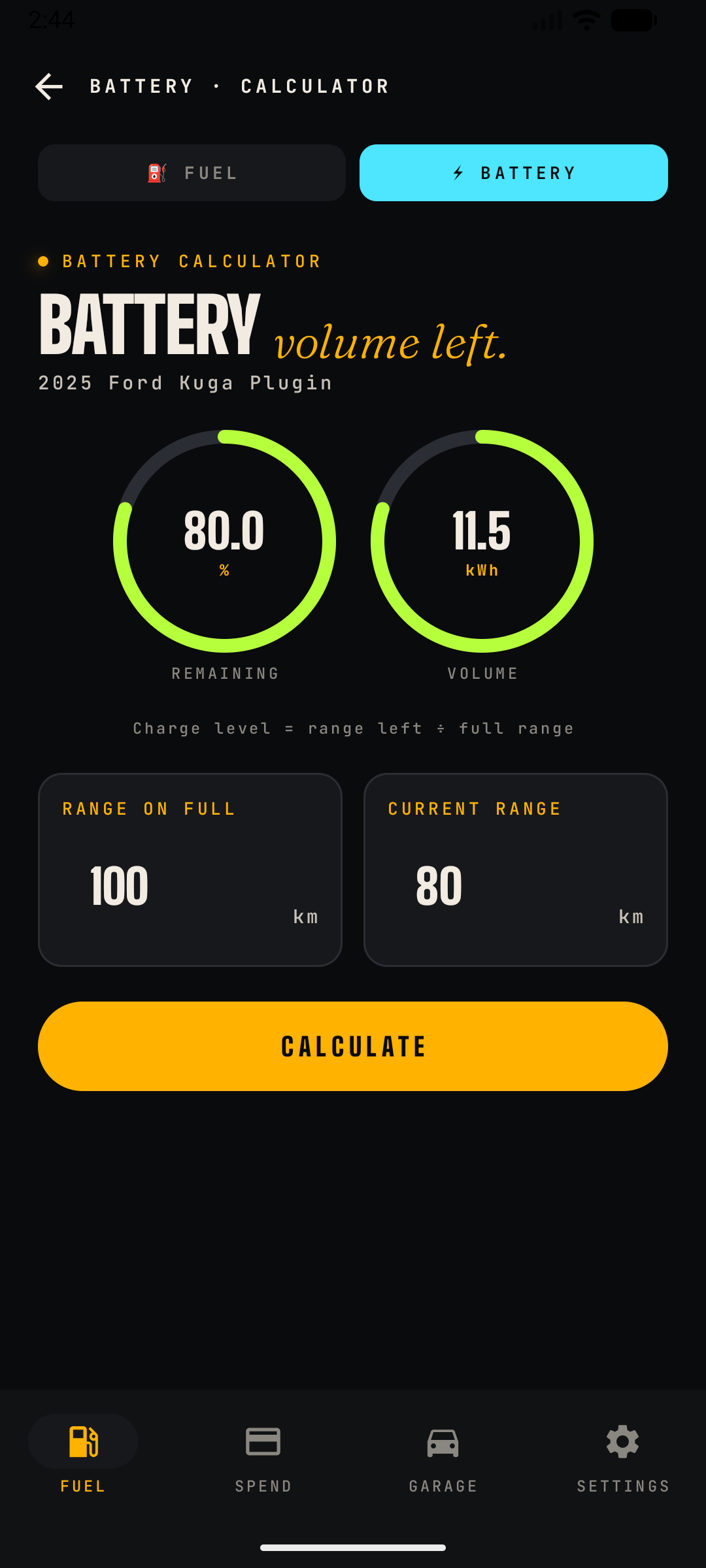
Enter the range on a full tank (or full battery) and your current range, both straight off the dashboard — no sensor access or guesswork needed. CarSpend turns those two numbers into litres or kWh remaining, with a clean gauge for remaining percentage and volume. It also shows your real average consumption, worked out straight from your logged fill-ups, with a tap-to-read explanation of the maths behind it. The same calculator switches to a battery mode for EVs, using the identical range-based formula against charge percentage and kWh. Plug-in hybrids get both, side by side, so you always know what's in the tank and what's in the pack.

  • RANGE → VOLUME
  • REAL AVG USE
  • PHEV: TANK + BATTERY
Read the full guide →
07 · Ask

Ask your vehicle anything

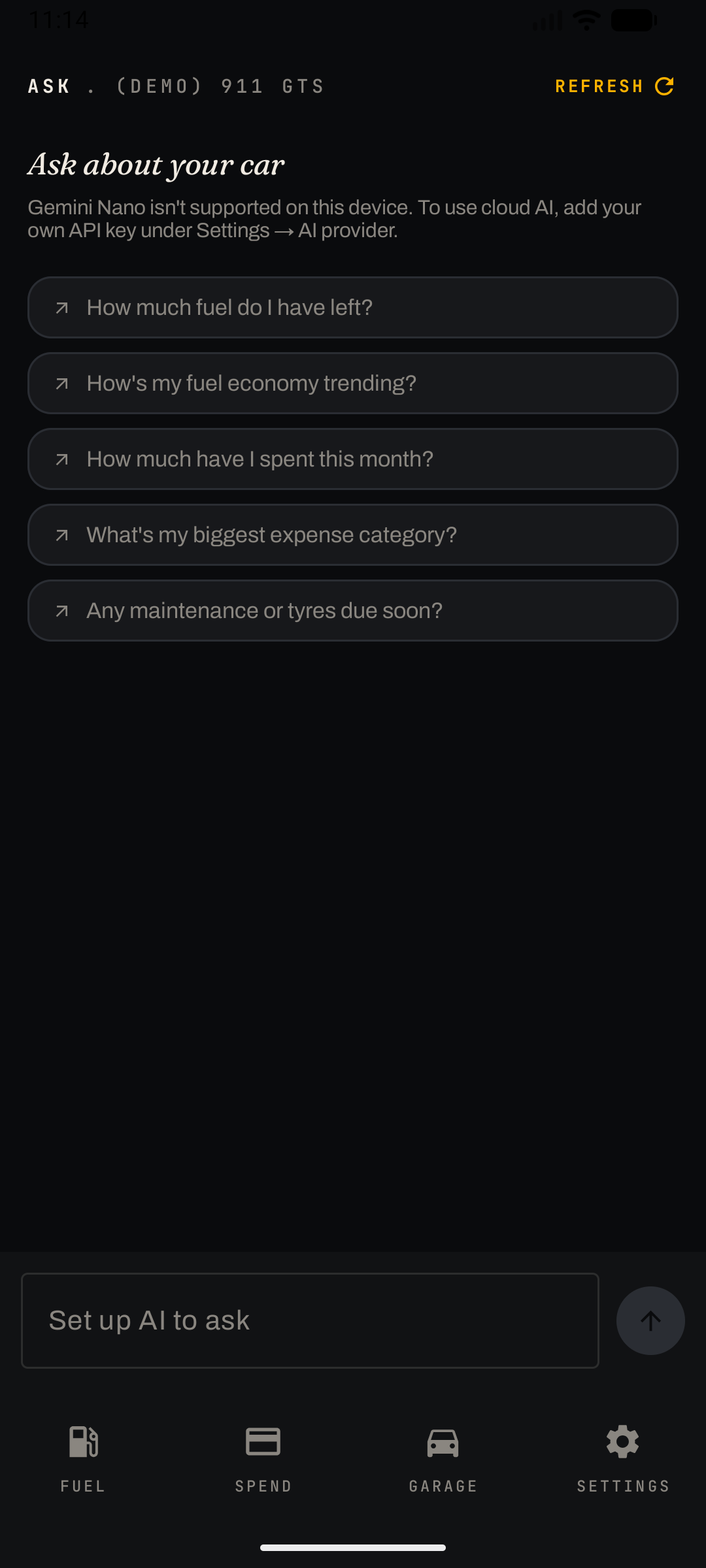
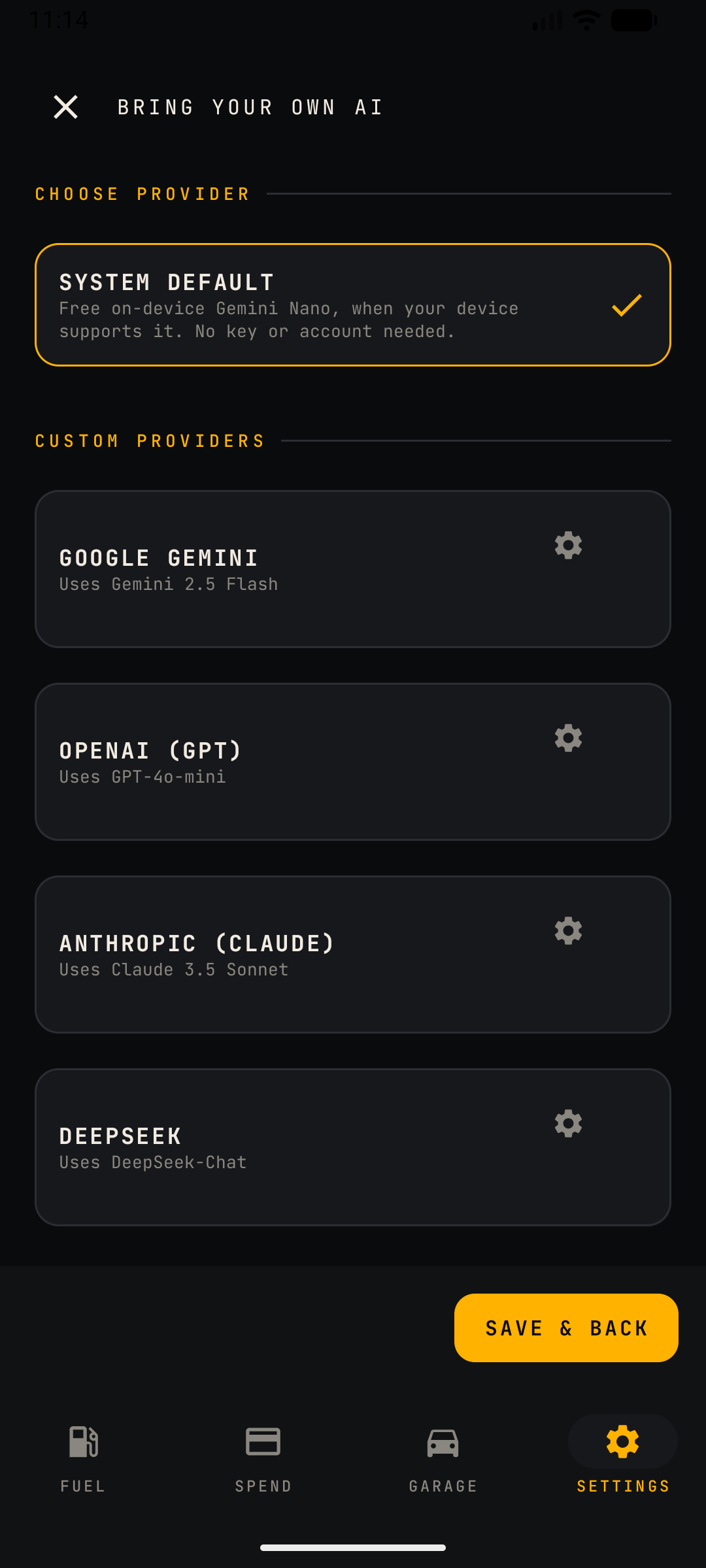
A built-in assistant answers questions about your vehicle using your own data — it runs on-device with Gemini Nano where supported, so your numbers never leave your phone. Each answer is grounded in a snapshot of your actual car: odometer, fuel history, expenses and upcoming reminders, not a generic guess. Not sure what to ask? Tap a suggested question like "How's my fuel economy trending?" or "What's my biggest expense category?" to get started. No account and nothing to set up on supported phones — or bring your own AI key to use a cloud provider instead.

  • YOUR DATA
  • ON-DEVICE
  • PRIVATE
Read the full guide →
08 · Settings & Backup

Yours, and portable

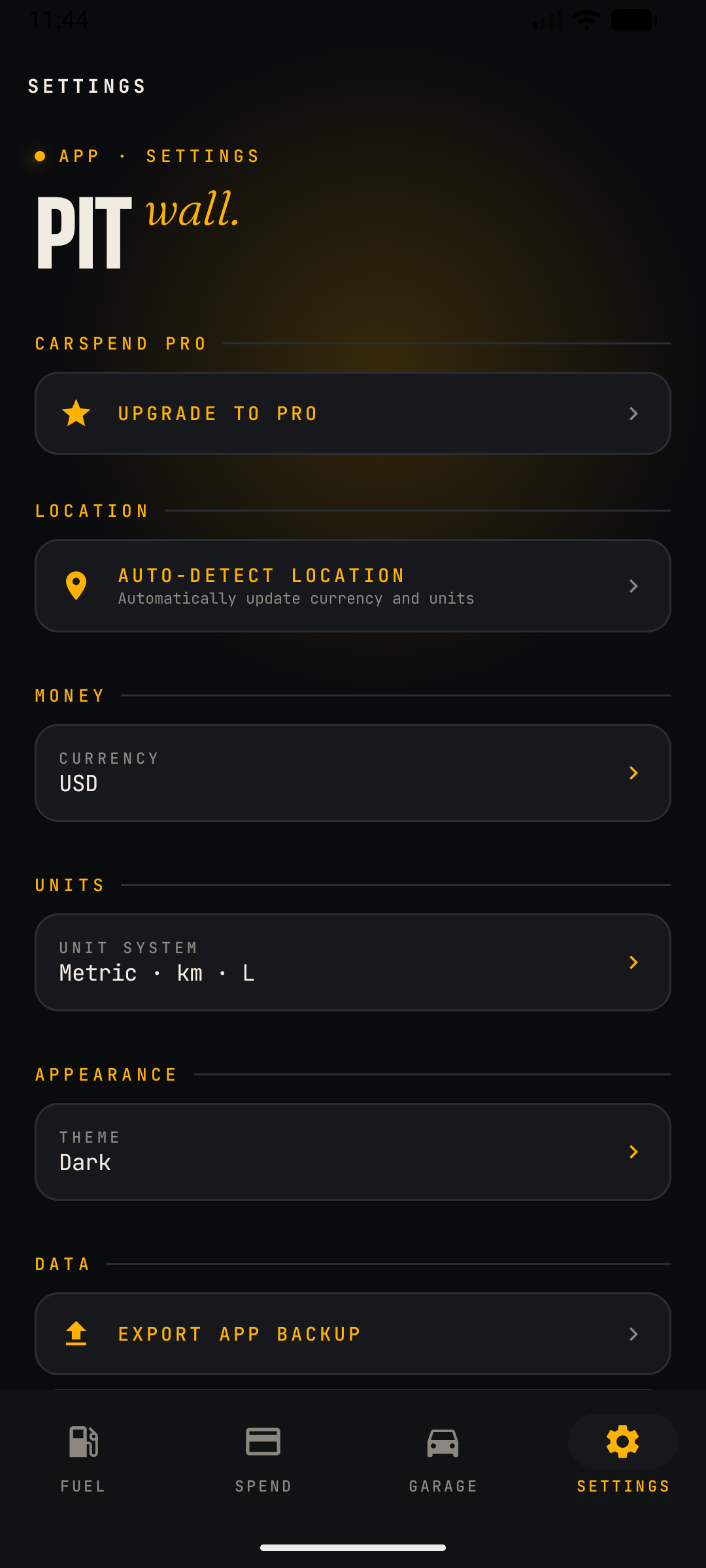
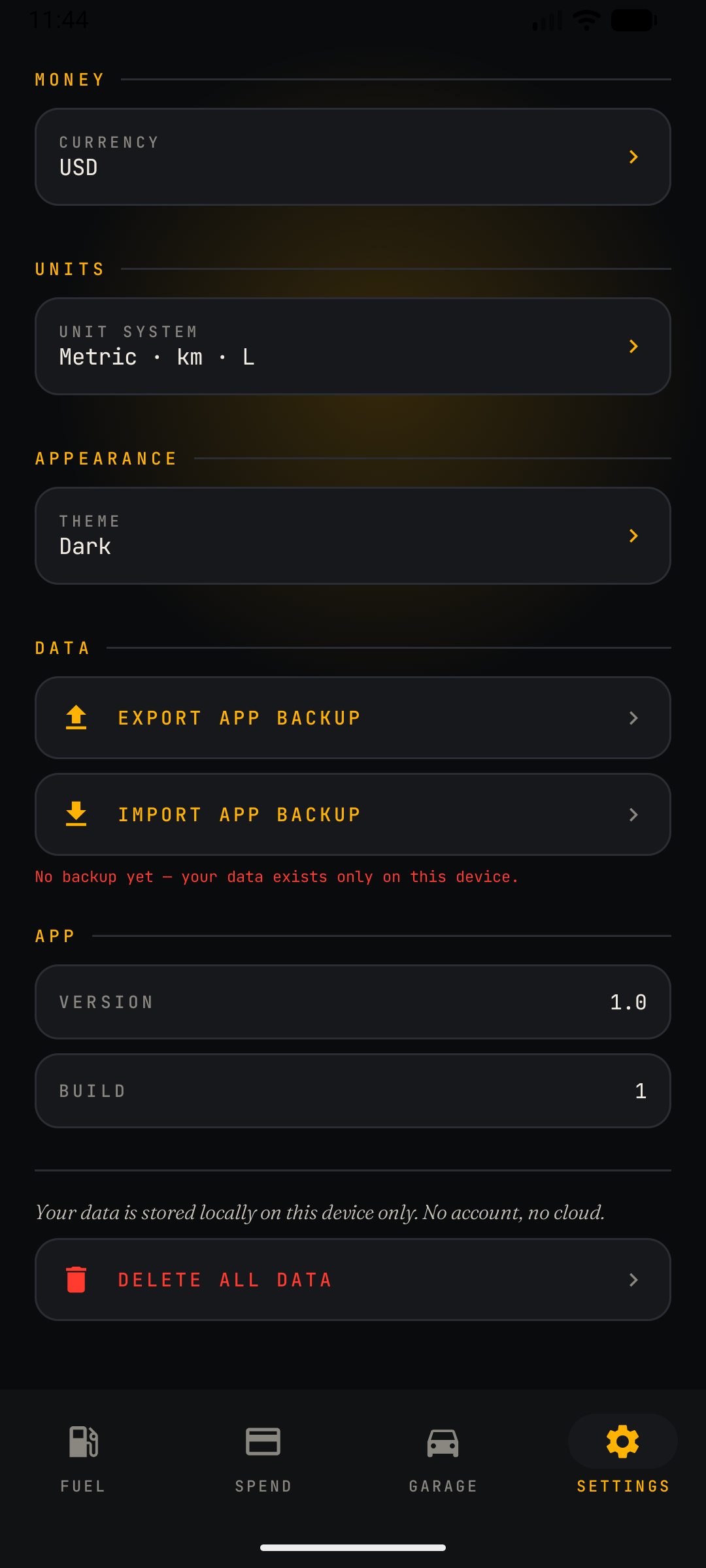
Choose your units and currency, or let CarSpend auto-detect both from your device's location in one tap. Back up everything to a single JSON file you control — cars, fuel logs, expenses, tyres and reminders included — and restore it whenever you need to. When a backup is worth doing, a gentle prompt takes you straight to the export in a single tap. That same file is how you move to a new phone, or carry your data between iOS and Android, since there's no cloud account behind any of it. Export before a reinstall or device swap, and you're always covered.

  • UNITS & CURRENCY
  • EXPORT / IMPORT
  • CROSS-PLATFORM
Read the full guide →
New in Pro

The garage grew.

Fresh additions rolling out on Android first — iOS follows.

GPS TRIP RECORDING

Tap record to start — or connect your vehicle's Bluetooth and CarSpend prompts you to log the trip with a single tap. Live distance, duration and speed in the notification.

BUSINESS MILEAGE & CLAIMS

Tag a trip Business, Personal or Medical, set your reimbursement rate, and export a dated mileage report as PDF or CSV — ready for an employer or a tax return.

ROUTE MAP & SPEED PLAYBACK

Every recorded trip gets a route thumbnail and a full map. Scrub the slider to replay your speed along the route.

SCAN & AUTO-FILL

Snap the pump display, charger screen or receipt — volume, price, total, station and date fill themselves in. On-device, private.

FIND MY CAR

Where the trip ends is where you parked. Add a note or photo, then navigate straight back to it.

MAINTENANCE CATALOG

60+ common procedures with typical intervals — oil, brakes, chains, filters — filtered for cars or motorcycles. One tap to a reminder.

CSV & PDF REPORTS

Export fuel, expenses and trips as CSV, or generate a per-vehicle PDF report with totals and consumption trend.

HOME-SCREEN WIDGET

Month-to-date spend, next maintenance and your last fill — on your home screen, free for everyone.

MOTORCYCLES & MORE

Bikes, vans and more get their own vehicle type, icons and maintenance suggestions.

Also in your browser

Your garage, on the big screen.

The CarSpend web companion opens your data in any browser — nothing to install. Import a backup from the phone app, browse and edit everything on a full-size screen, then export the changes straight back. Same private, on-device model: your data lives only in your browser.

IMPORT & EXPORT

Load your phone backup, work on it in the browser, and export it right back — one JSON file, fully compatible both ways.

FULL GARAGE

Fuel, spend ledger, trips, tyres, maintenance reminders, preferred services, valuation and CSV / PDF export — all on the web.

FREE OR PRO

One vehicle is free to explore, or load a demo. Unlock the full web app with your existing phone Pro subscription — no separate purchase.

Open the web app →

The web app is a companion to the phone app. Pro features are unlocked by pairing this browser to your phone subscription — one active browser at a time, so codes can't be shared.

Pricing

Free, or go Pro.

Start free with one vehicle. Unlock the full garage with Pro — cancel anytime.

FREE
€0FOREVER
PRO POPULAR
€1.99PER MONTH
Vehicles
1
Unlimited
Fuel, charge & expense logging
Included in Free
Included in Pro
Category ledger & totals
Included in Free
Included in Pro
On-device assistant
Included in Free
Included in Pro
Local backup (export / import)
Included in Free
Included in Pro
Home-screen widget
Included in Free
Included in Pro
Trends, charts & breakdowns
Not in Free
Included in Pro
Tyres, maintenance, trips & valuation
Not in Free
Included in Pro
Photo & document attachments
Not in Free
Included in Pro
Cloud AI assistant
Not in Free
Included in Pro
GPS trip recording (Bluetooth trip prompts)
Not in Free
Included in Pro
Route map, speed playback & find my car
Not in Free
Included in Pro
Scan & auto-fill from receipts
Not in Free
Included in Pro
Maintenance catalog (60+ procedures)
Not in Free
Included in Pro
CSV & PDF vehicle reports
Not in Free
Included in Pro

No ads on any tier — free included. Lifetime is a one-time purchase — pay once, keep Pro forever. Billed through Google Play or the App Store; manage or cancel anytime. Prices may vary by region and do not include any applicable taxes.
Downgrading never deletes anything: every vehicle stays saved on your device, you just pick which one stays active until you go Pro again.

Get CarSpend

Track every mile.

Free for one vehicle. Pro unlocks the whole garage — on your phone and in your browser.

GET IT ONGoogle Play
DOWNLOAD ON THEApp Store
Soon
NO INSTALL — OPEN ITIn your browser

The web app runs entirely in your browser — import your phone backup, work on a full-size screen, then export it straight back. How the web app works →